


How to Select Virtuance as Your Zillow® Showcase Photographer
If you are an eligible Zillow® Showcase subscriber, you have the power to choose Virtuance as your professional media provider. Here is the simple process:
- Book your Virtuance shoot
- Designate Virtuance as your photographer on Zillow
- Input Virtuance’s contact information.
1. Book your Virtuance shoot
Book your session directly through Virtuance. We will capture your professional photos, Zillow 3D Home® Tour, and Interactive Floor Plan. For the easiest experience, select our Interactive Essentials Bundle at checkout to get all required media in a single click.
If you prefer to order à la carte, you must include at least 10 images, a Zillow 3D Home Tour, and an Interactive Floor Plan to qualify.
Important Note: Virtuance can only upload Showcase listing media that we have captured. We cannot upload media from other individuals or companies.
2. Designate Virtuance as your photographer on Zillow
Once your Virtuance order is submitted, you must connect us to your Zillow® Showcase listing so we can upload your media automatically.
How to do it:
- Go to your Zillow® Showcase dashboard for your specific listing and click Get Media.
- Select “Photography companies you know”.
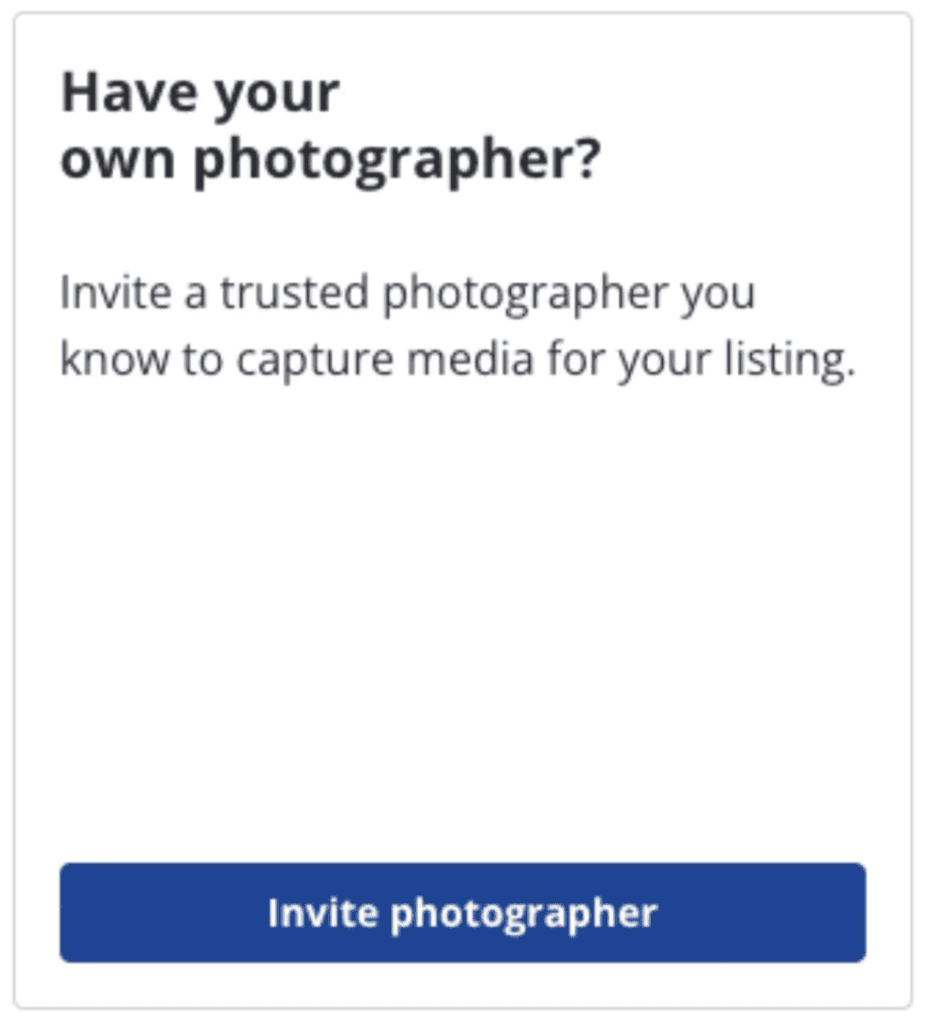
- Click “Invite photographer”.
3. Input Virtuance’s contact information
After clicking “Invite photographer”, enter the following info.
- Company Name: Virtuance
- Company Email: info@virtuance.com
You should only need to provide this information once. After you invite Virtuance for your first Showcase listing, we will automatically appear in your “Photography Companies You Know” section for all future Showcase listings.
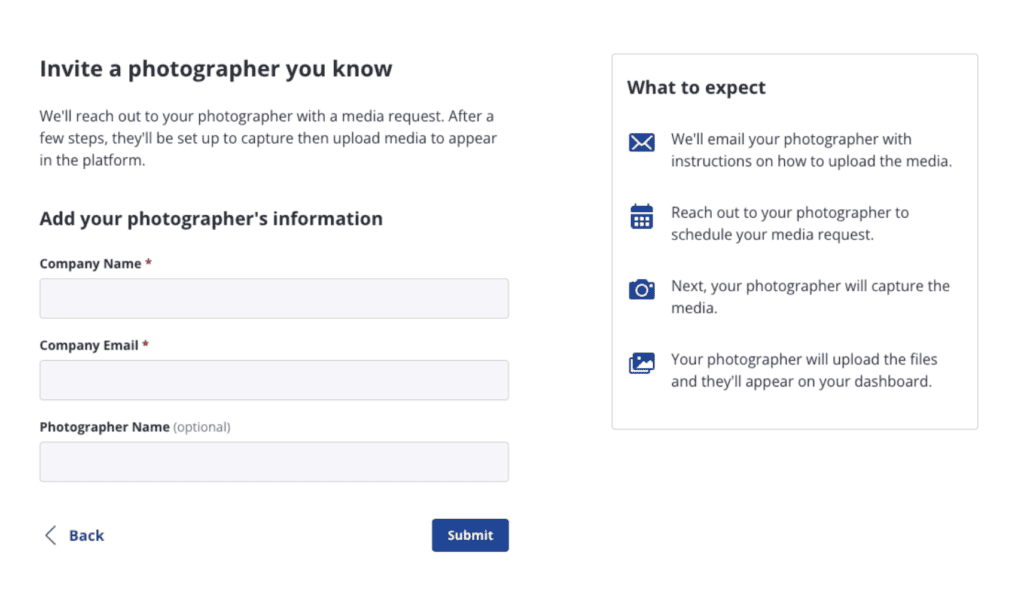
Once submitted, Zillow will send us a direct upload link. As soon as your media is ready, our Quality Assurance team will handle the technical setup and upload all assets directly to your Zillow® Showcase listing!
Note: For shoots still in progress, your request will remain pending until your media is published, at which point we will ensure all assets are uploaded.
Seamless Delivery and Management
Virtuance only manages the delivery of the assets we create. While we handle the initial upload, you maintain control over the final presentation. For platform navigation or advanced editing, please refer to your Zillow® Showcase onboarding resources.
- Hiding or Rearranging Images: Once Virtuance delivers your assets, we cannot delete them from the platform. However, you still have control to hide or rearrange photos via Aryeo.
- Platform Support: For help with the Showcase interface or technical troubleshooting, please contact Zillow® Showcase & Media Experts Support.
Zillow® Showcase & Media Experts Support contact information
- 888-367-4009
- support@zillow-workspace.com
Hours of Operation
- Monday to Friday, 5 am – 6 pm PT
- Saturday to Sunday, 6 am – 3 pm PT
Ready to Elevate Your Brand?
Zillow® Showcase is a game-changer for agents looking to impress sellers and win more listings. By pairing Zillow’s powerful platform with Virtuance’s world-class photography and media, you create a listing that doesn’t just show a home—it captures an audience.